tracked-aircraft anomalies / rolling 24h / every level transition announced

Apocalypse EWS / Discord bot
Mirror of the upstream EWS. Most days the level stays at 1.
- Install the bot to a server you administer, or to your own Discord account.
-
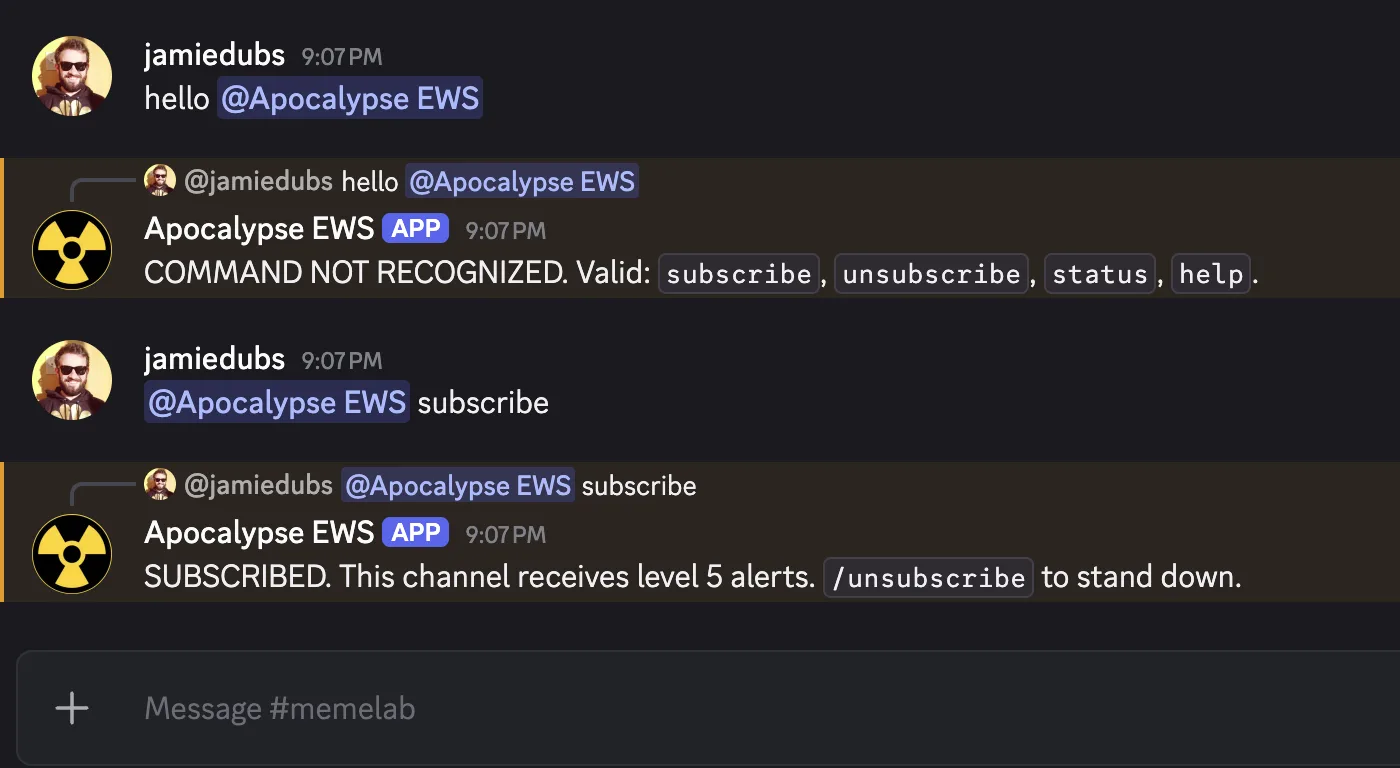
In a server channel: run
/subscribe, or @-mention the bot withsubscribe. -
In a DM with the bot: just send
subscribe. No mention needed.
Client id not set. Edit docs/index.html and replace
YOUR_DISCORD_CLIENT_ID.
// in use
// help
/subscribe [channel]- designate alert recipient (this channel, or you)
/unsubscribe- stand down
/status- subscription state + last incident
/help- refresher
@-mention the bot with the same word — same effect. In a DM, just send the word.
// more
The upstream tracks unusual private-jet activity over a rolling 24-hour window and assigns an emergency level from 1 to 5. This bot polls the upstream every 30 minutes and announces every transition — both rising and falling. Most days the level stays at 1 and you hear nothing.
// alert ladder
2 ↑   Notice. Emergency level 2.
3 ↑   ELEVATED. Emergency level 3.
4 ↑   WARNING. Emergency level 4.
5 ↑   ATTENTION. EMERGENCY LEVEL 5.
↓     Stand-down. Emergency level returned to N.
Each transition message also carries the upstream's text label, the
z-score, and an asOf timestamp. On a real level-5
event you'll additionally receive the full incident payload (title, link,
pubDate) from the upstream RSS feed.
// level-5 incident payload
ATTENTION. EMERGENCY LEVEL 5.
{title}
{pubDate}
{link}
Source feed: rss.xml · Telegram channel: @apocalypse_ews.